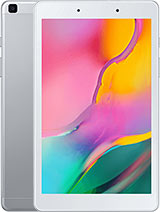
Download Samsung Galaxy Tab A (8.0 inches, 2019, Wi-Fi) SM-T290 - MXO - T290UES5CWG3

Download the firmware flash for Samsung Galaxy Tab A (8.0 inches, 2019, Wi-Fi) with the code is SM-T290. This firmware for the region with CSC code is MXO (MXO - Mexico). Please make sure the code is correct. You can check model code in Setting - About, in Download mode or you can find it by flipping your phone or among the things you found in the box. This product PDA version is T290UES5CWG3 and Android version is R(Android 11). This firmware size is 3.38 GB.

This firmware is official from Samsung Cloud Server. Of course, we recommend you are using official Samsung tool like Samsung Smart Switch or Samsung Kies. Samfw.com will not responsible for any damage caused by using the files on this website

  • AP VERSION T290UES5CWG3
  • CSC VERSION T290MXO5CWG3
  • ANDROID VERSION R(Android 11)
  • BIT (BINARY/U/SW REV.) 5
  • SIZE 3.38 GB  Full Files
  • MD5 3b72d03a61e734420786e96a6bc41f62
  • CSC
  • BUILD DATE 20230721224640
  • ADD DATE 2025-09-18 21:54:25
  • DOWNLOADED 233
Calling Bifröst...

Speed: Unlimited | Report dead link or download error

Help us without money Buy me a coffee Fixing error 660: All bot limit today

Child files of T290UES5CWG3 - If you want to download full firmware. Download one file ABOVE instead download all child files
Download Filename Download/Size MD5
AP_T290UES5CWG3_CL23848788_QB67940229_REV00_user_low_ship_MULTI_CERT_meta_RKEY_OS11.tar.md5.zip 10 dl
3.22 GB
MD5
BL_T290UES5CWG3_CL23848788_QB67940229_REV00_user_low_ship_MULTI_CERT.tar.md5.zip 8 dl
18.97 MB
MD5
CP_T290UES5CWG3_CP24586637_CL23848788_QB67940229_REV00_user_low_ship_MULTI_CERT.tar.md5.zip 5 dl
28.58 MB
MD5
CSC_OMC_MXO_T290MXO5CWG3_CL24806242_QB67939113_REV00_user_low_ship_MULTI_CERT.tar.md5.zip 6 dl
42.66 MB
MD5
HOME_CSC_OMC_MXO_T290MXO5CWG3_CL24806242_QB67939113_REV00_user_low_ship_MULTI_CERT.tar.md5.zip 4 dl
42.64 MB
MD5
 How to flash Samsung Galaxy Tab A (8.0 inches, 2019, Wi-Fi) SM-T290 firmware

1. Extract (unzip) the Samsung firmware file. Recommended using WinRAR or 7-Zip

2. Download Odin Tool 3.13.1

3. Extract Odin ZIP file

4. Open Odin execute file

5. Reboot Samsung phone in Download Mode (hold Home + Power + Volume Down buttons / hold Volume Down + Bixby buttons then plug-in cable)

6. Connect you Samsung phone and wait until you get a blue sign in Odin

7. Add the 1 file Samsung firmware to AP/PDA or 4 files Samsung firmware (AP/BL/CP/CSC) to it's slots

8. Make sure re-partition is NOT ticked

9. Click the START button, sit back and wait few minutes

Comment with us

I am so sorry! 😟

But please disable AdBlock. Because Samfw is Free. But we need money to keep server running. Ads is only benifit for keep Samfw running Free. Thank you!


👍 Understood. I turned it off ❓ How to disable AdBlock/AdBlockPlus? 👑 Upgrade to Premium membership with Ads free and special permissions
😔 I do not want to help

How to disable AdBlock

Adblock / Adblock Plus   
  • Click AdBlock or AdBlock Plus icon at the browser menu.
  • Click Don't run on pages on this site. or Enabled on this site then press Exclude or Switch off BLOCK ADS ON