 SamFw
SamFw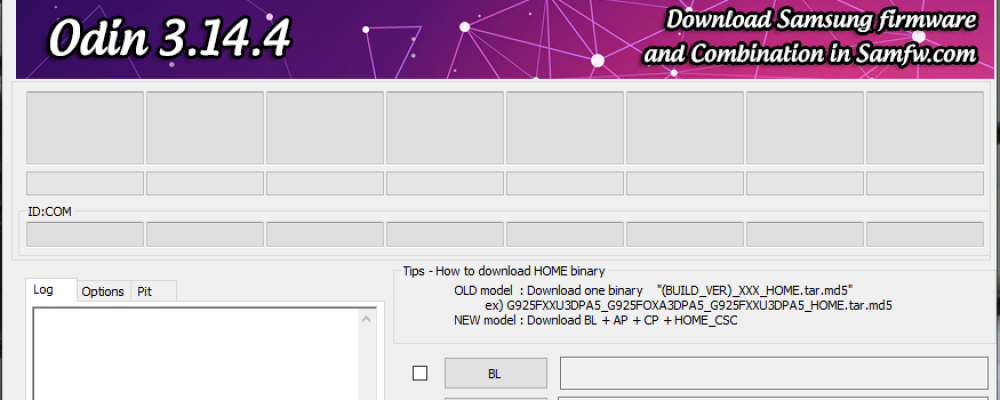
Samsung Odin is the official flashing utility for Samsung Android smartphones and tablets, widely used to install stock firmware, custom recoveries, kernels, and other system packages. It supports a wide range of Samsung Galaxy devices, including Galaxy S, Galaxy Note, and many newer models.
If you need to update firmware, restore your device, unbrick a phone, or install custom software, Odin remains one of the most trusted tools for Samsung devices.
- Odin 3.13.1 Patched
Recommended for advanced users.
Compatible with Samsung firmware using LZ4 compression (Galaxy S8/S8+, S9/S9+, and newer).
Patched version with removed SHA256/hash verification, Snapdragon firmware support, and popup restrictions removed.
- Odin 3.13.3 Original
Stable official release with support for Android Pie firmware across many Samsung models.
- Odin 3.14.1
Added compatibility for newer Samsung devices and One UI 2.0 firmware packages.
- Odin 3.14.4
Latest stable Odin release with broader device compatibility and firmware flashing improvements.
- Flash by SamFw Tool
An alternative flashing solution with a simpler interface for supported Samsung devices.
- Samsung USB Driver
Required USB driver package to ensure your Samsung device is properly detected by Windows when using Odin.
What is Samsung Odin?
Samsung Odin is a Windows-based firmware flashing tool designed specifically for Samsung Galaxy devices. It allows users to manually install official Samsung firmware, flash custom recovery images such as TWRP, install kernels, and perform system recovery operations.
What can Odin be used for?
- Flash official Samsung stock firmware
- Upgrade or downgrade firmware versions
- Recover soft-bricked devices
- Install custom recovery (TWRP)
- Flash custom kernels
- Root supported Samsung devices
Supported Devices
Odin supports a broad range of Samsung devices, including newer models like Galaxy S10, S10+, S10e, S9, S9+, Note 9, Note 8, S8, S8+, as well as older generations such as Galaxy S7, S7 Edge, S6 series, Note 5, and many more.
Important Notes
Flashing firmware may erase your data or cause device issues if performed incorrectly. Always ensure you download the correct firmware for your exact model number and install the Samsung USB Driver before using Odin.
For users working with newer Samsung firmware packages or patched flashing scenarios (such as Snapdragon firmware or disabled hash verification), the patched Odin version may be more suitable.


