

Samsung FRP Remove Paid service
- PRICE: 40 credits
- SERVER 1: IMEI - TILL ANDROID 14 OFFLINE
- PRICE: 40 credits
- SERVER 2: IMEI/SN - TILL ANDROID 14 (if device FAIL on SERVER 1) OFFLINE
- PRICE: 50 credits
- PREMIUM 1: ANDROID 15-16-17 PREMIUM (GALAXY A|M|F 0X|1X|2X|3X) (CHEAP MODEL) OFFLINE
- PRICE: 70 credits
- PREMIUM 2: ANDROID 15-16-17 PREMIUM (GALAXY A|M|F 4X|5X|6X|7X) (HIGH MODEL) OFFLINE
- PRICE: 90 credits
- PREMIUM 3: ANDROID 15-16-17 PREMIUM (GALAXY S|Z|FOLD|FLIP) (FLAGSHIP) OFFLINE
- PRICE: 30 credits
- SERVER 1 PC: ONLY EXYNOS BETA ONLINE PLEASE USE SAMFW TOOL PC Download SamFw Tool 5.8
- SERVER 1 PC: ONLY EXYNOS BETA ONLINE PLEASE USE SAMFW TOOL PC Download SamFw Tool 5.8
- PRICE: 30 credits
- SERVER 2 PC: ONLY ANDROID 16 ONLINE PLEASE USE SAMFW TOOL PC Download SamFw Tool 5.8
- SERVER 2 PC: ONLY ANDROID 16 ONLINE PLEASE USE SAMFW TOOL PC Download SamFw Tool 5.8
RATE: 1 credit = 1 USD
Status history & get notification
Preparing for unlocking
-
 1. Install Samsung Android USB DriverDownload Samsung Android USB driver and install. If already installed, skip this step
 -
 2. Plug in your deviceConnect your device using any USB data cable
 -
 3. Select deviceClick the Add device below. often named CDC Abstract Control Model (ACM) (COMXX)
If the browser menu doesn’t appear or your device isn’t listed, follow the troubleshooting tips below.
What is FRP unlock service:
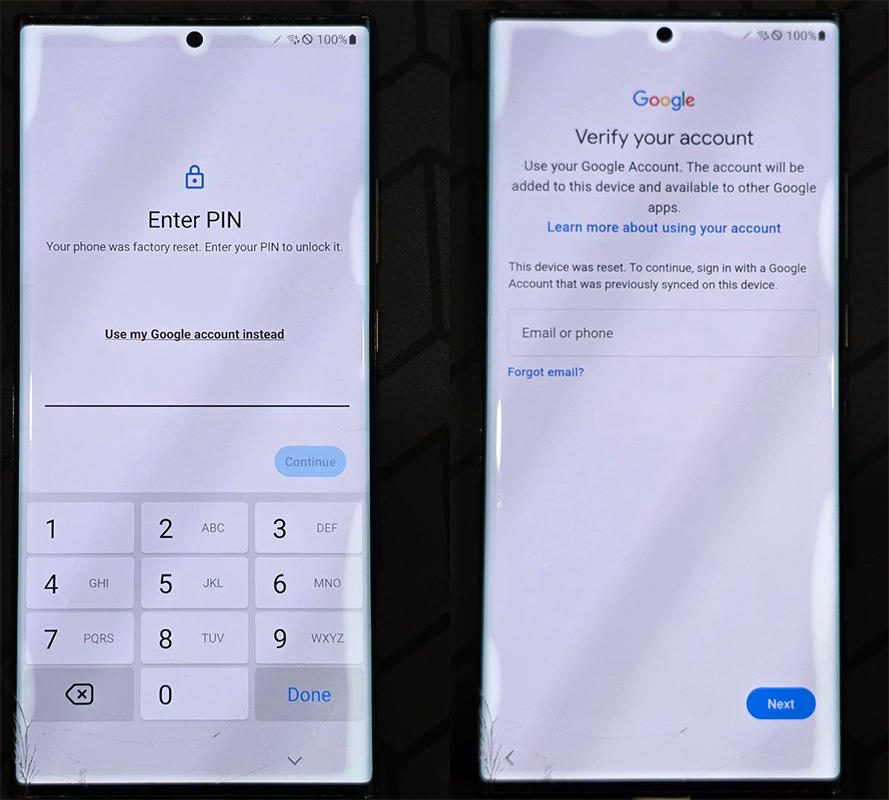
FRP lock (Google account lock) is Google's security layer on Android devices in general and Samsung devices in particular.
Sometimes you can't remember which account has linked to your device before.
Manual unlocking methods do not work, are cumbersome and potentially risky
Our service will help you simplify FRP unlocking (for almost Samsung devices)
Just connect the cable to the computer, install the driver, and click Unlock
- - No need to research for hours
- - No need to load firmware or any files
- - No risk of damaging the device or making it unable to start
- - Legit service, reliable and verified by many users
With 4.8 stars on Trustpilot. You will not be disappointed if you choose this service
Our commitment:
Refund whenever the number of credits you do not use
Frequently asked questions
Factory Reset Protection (FRP), is a security feature on Android devices with Android OS Version 5.1 (Lollipop) and higher. The FRP provides a built-in security feature you are able to use that protects your device and information, including screen locks and data encryptions. The FRP is enabled automatically when a Google account has been registered on the device and will be disabled if the Google account is removed from the device prior to the Factory Data Reset. Once the FRP has been activated, it will prevent use of your device after a Factory Data Reset in an untrusted environment. This means if your device has been Factory Reset in any other way than Settings > General Management > Reset > Factory Data Reset, the FRP Lock will be enabled.
When performing a Factory Data Reset, all settings are returned to the factory default settings and all personal data is erased, including files and downloaded apps. If the Google FRP is enabled, you will need to enter your Google account credentials before you can do a factory reset on the device.
If your device has been lost or stolen, and has been Factory Data Reset in an untrusted environment, this will trigger the FRP lock.
FRP unlocking is getting harder and harder, we try to support as many models and versions as possible, and will let you know if your device is supported when you connect your device to the website
Service prices depend on the type of service, see above for specific status and prices.
The FRP unlocking exploit via ADB has been patched since the January 2023 security update of Samsung, so this service helps you to unlock any security version phone with just 1 click.
This service is from a third-party partner, we have to pay for each successful unlock and receive a small profit.
If the device is not locked, the server is offline or any other reason causes the unlocking to fail, your credits will still be in your account.
You can request a refund for the number of credits in your account without any fees.
We can refund to your card, or via an available payment method (Paypal, Crypto, Egift code...)
Please contact me via Telegram
Please check the USB connection cable, connection port on PC and Samsung USB driver