 SamFw
SamFw
SamFw
SamFw
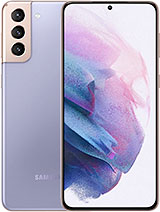
Download the firmware flash for Samsung Galaxy S21+ 5G with the code is SM-G996B. This firmware for the region with CSC code is XID (XID - Indonesia). Please make sure the code is correct. You can check model code in Setting - About, in Download mode or you can find it by flipping your phone or among the things you found in the box. This product PDA version is G996BXXUJHZF2 and Android version is V(Android 15). This firmware size is 7.71 GB.
This firmware is official from Samsung Cloud Server. Of course, we recommend you are using official Samsung tool like Samsung Smart Switch or Samsung Kies. Samfw.com will not responsible for any damage caused by using the files on this website
| Download | Filename | Download/Size | MD5 | |
|---|---|---|---|---|
|
|
AP_G996BXXUJHZF2_G996BXXUJHZF2_MQB111692118_REV01_user_low_ship_MULTI_CERT_meta_OS15.tar.md5.zip |
2 dl 7.35 GB |
MD5
|
|
|
|
BL_G996BXXUJHZF2_G996BXXUJHZF2_MQB111692118_REV01_user_low_ship_MULTI_CERT.tar.md5.zip |
0 dl 8.14 MB |
MD5
|
|
|
|
CP_G996BXXSJHZA6_CP32677257_MQB105755316_REV01_user_low_ship_MULTI_CERT.tar.md5.zip |
116 dl 32.51 MB |
MD5
|
|
|
|
CSC_OLE_G996BOLEJHZC2_QB107313691_REV01_user_low_ship_MULTI_CERT.tar.md5.zip |
0 dl 132.11 MB |
MD5
|
|
|
|
HOME_CSC_OLE_G996BOLEJHZC2_QB107313691_REV01_user_low_ship_MULTI_CERT.tar.md5.zip |
2 dl 132.12 MB |
MD5
|
|
|
|
AP_G996BXXUJHZF2_G996BXXUJHZF2_MQB111692118_REV01_user_low_ship_MULTI_CERT_meta_OS15.tar.md5.zip |
2 dl 7.35 GB |
MD5
|
| Device | Version | Bit/SW REV. | FA | Change list |
|---|---|---|---|---|
| SM-G996B / Galaxy S21+ 5G | G996BXXU4AUL1 | 4 | FAR0 | CL23342103 |
| SM-G996B / Galaxy S21+ 5G | G996BXXU3AUE1 | 3 | FAR0 | CL21695509 |
| SM-G996B / Galaxy S21+ 5G | G996BXXU2AUE1 | 2 | FAR0 | CL21695509 |
| SM-G996B / Galaxy S21+ 5G | G996BXXU1AUE1 | 1 | FAR0 | CL21695509 |
| SM-G996B / Galaxy S21+ 5G | G996BXXU1AUA3 | 1 | FAR0 | CL20796681 |
I am so sorry! 😟
But please disable AdBlock. Because Samfw is Free. But we need money to keep server running. Ads is only benifit for keep Samfw running Free. Thank you!