 SamFw
SamFw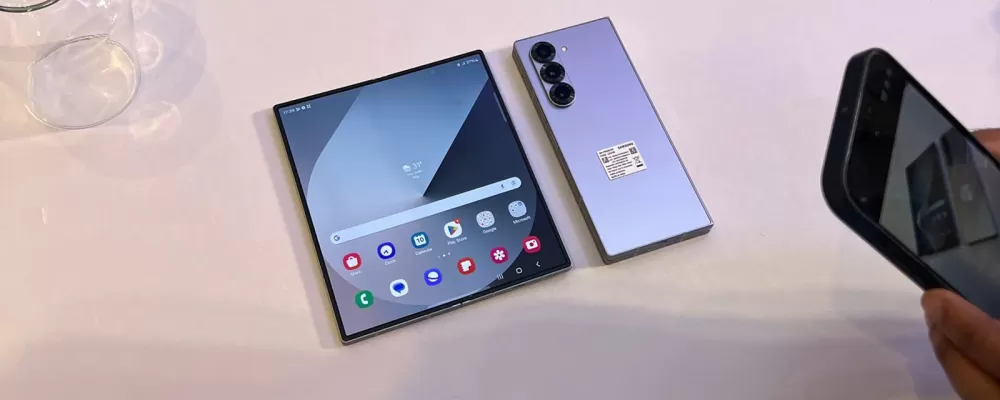
The Galaxy Z Fold 6 has just received the One UI 7.0 Beta update, bringing many long-awaited new features. Most of these changes were previously available in the One UI 7.0 beta of the Galaxy S24 series, but there are some notable upgrades specific to the foldable device, such as a refreshed taskbar and a Swipe-to-continue option in the App Continuity feature.
Samsung has introduced a more flexible way to manage app switching between the main and cover screens of the Fold 6. Previously, App Continuity worked in two modes: Always or Never. However, with the One UI 7.0 beta, Samsung has added an intermediate option that gives users more control: Swipe to continue.

When this feature is enabled, the app will not automatically appear on the cover screen when the user folds the Galaxy Z Fold 6. Instead, the device will lock the screen, and the user needs to swipe on the lock screen to continue using the app. This helps limit accidental operations and brings more initiative in controlling the app switching process.
Notably, in the One UI 7.0 beta, Samsung has removed the App Continuity setting option for each individual app. Previously, users could choose which apps would continue to work when switching screens, but now, Swipe to Continue acts as an overall solution, making it easier to manage apps without having to set up each app individually.
With this new feature, One UI 7.0 not only brings a smoother experience on the Galaxy Z Fold 6 but also helps optimize multitasking on foldable devices. Users will have more control, limit unwanted interruptions when using the application, and enjoy the convenience that Samsung brings on the latest generation of One UI.


